

Connect headphones and sound system to TV via HDMI
A common question we get in our customer service: "How do I connect headphones and a sound system to my TV via HDMI?" Few TVs deliver sound through multiple ports...






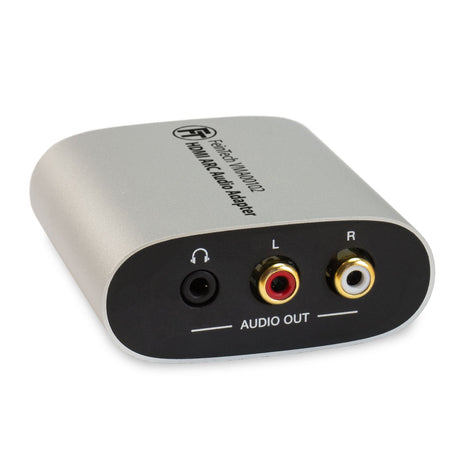
Operate your stereo headphones and 5.1 soundbar on the TV's HDMI ARC connection
VMA00201 HDMI ARC Audio TV-Adapter for Soundbars & Headphones is backordered and will ship as soon as it is back in stock.
With the VMA00201, you can tap the sound of the TV (from internal receivers for cable or satellite TV, Apps) at the HDMI socket. The audio signal is then converted to analogue and output via 3.5 mm jack.
For power supply, the adapter is connected to a free USB socket via the supplied cable. The VMA00201 then always switches on together with the TV, so that no operation is required. Volume control is possible via HDMI-CEC (also called Anynet+, Simplink, VieraLink, EasyLink, BraviaLink). Please note that televisions have only one HDMI-ARC connection. Usually, the TV switches off the internal speakers when you use HDMI-ARC.
The adapter has an integrated decoder for multi-channel sound and mixes down to stereo (so-called downmix). At the same time, multi-channel sound is passed through via HDMI. This allows a soundbar to output 5.1 sound, and stereo sound can be heard at the same time via the headphone connection. The TV remote control controls the volume for both outputs, i.e. for headphones and soundbar.
The logic is as follows:
Note: The analogue audio output provides a standard audio level of 2 V rms. This can be used to supply audio amplifiers or audio transmitters for Bluetooth, radio or infrared headphones. The output level corresponds to that of other devices. For hard of hearing people who want to connect headphones directly via cable, the audio level of the output without amplifier might be too low.
No transmission though the adapter in direction to the TV is possible. All players should therefore be connected to the TV, not to the sound system
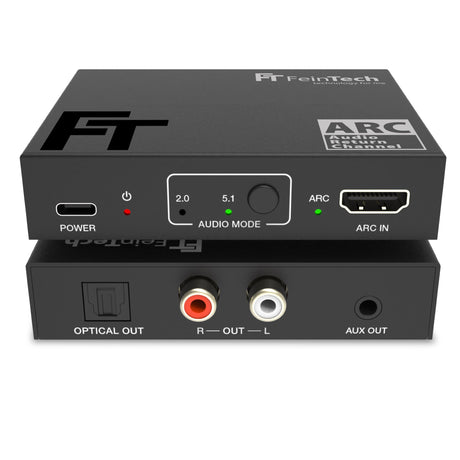
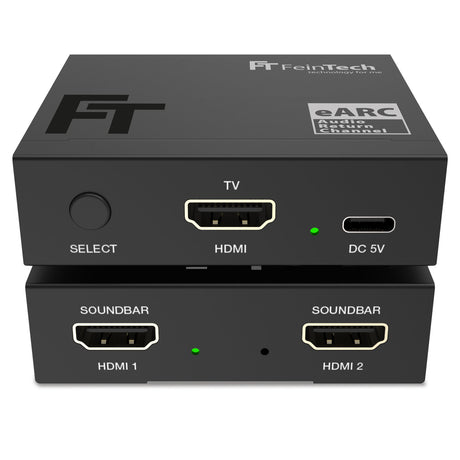
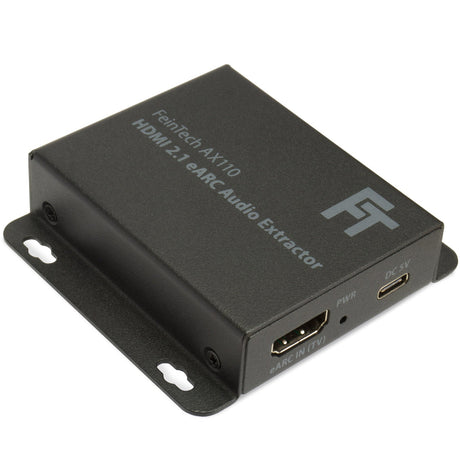
Compare our HDMI ARC TV adapters
| Facet | |||||
|---|---|---|---|---|---|
| Price | |||||
| Price |
Regular price
€39,99
Unit price
|
Regular price
€44,99
Unit price
|
Regular price
€79,99
Unit price
|
Regular price
€69,99
Unit price
|
Regular price
€69,99
Unit price
|
| Rating | |||||
| Rating | |||||
| Audio Input | |||||
| Audio Input | - | - | - | - | - |
| Audio Output | |||||
| Audio Output | |||||
| Audio formats on the audio out | |||||
| Audio formats on the audio out | - | - | - | - | - |
| Downmixer for parallel 5.1 and stereo output | |||||
| Downmixer for parallel 5.1 and stereo output | - | - | Yes | - | - |
| HDMI ARC from TV | |||||
| HDMI ARC from TV | |||||
| HDMI-CEC control | |||||
| HDMI-CEC control | |||||
| Power supply | |||||
| Power supply | |||||
A common question we get in our customer service: "How do I connect headphones and a sound system to my TV via HDMI?" Few TVs deliver sound through multiple ports...

Do you want to use a transmitter for your hearing aid while others listen through the soundbar at the same time? The VMA00201 can then be used between the television...

What is ARC for? Many users have already noticed that the number of ports on current televisions is decreasing. Analog connections for headphones, speakers, or stereo systems are frowned upon....


Number of HDMI inputs
Number of HDMI outputs