

HDMI 2.1 features
What's new in HDMI 2.1? With the Playstation PS5 and Microsoft Xbox Series-X, the first HDMI 2.1 sources from consumer electronics were released in 2020. PC graphics cards can also...



Distribute brilliant 4K 120Hz to up to four screens simultaneously.
SP410 HDMI 2.1 Splitter 1 In 4 Out | 4K 120Hz | Downscalers is backordered and will ship as soon as it is back in stock.


Der SP410 HDMI 2.1 Splitter verteilt das Bild- und Tonsignal einer HDMI-Quelle gleichzeitig auf bis zu vier HDMI-Geräte. Mit der vollen HDMI 2.1 Bandbreite von 48 Gbit/s, Auflösungen bis 8K 60Hz sowie 4K 240Hz mit DSC eignet er sich besonders für anspruchsvolle Gaming-, Heimkino- und Multi-Display-Setups. Der integrierte Downscaler ermöglicht dabei auch den gemeinsamen Betrieb von Displays mit unterschiedlichen Auflösungen. Über das umfangreiche EDID-Management kannst du zusätzlich gezielt festlegen, welche Bild- und Audioformate der Zuspieler ausgeben soll.
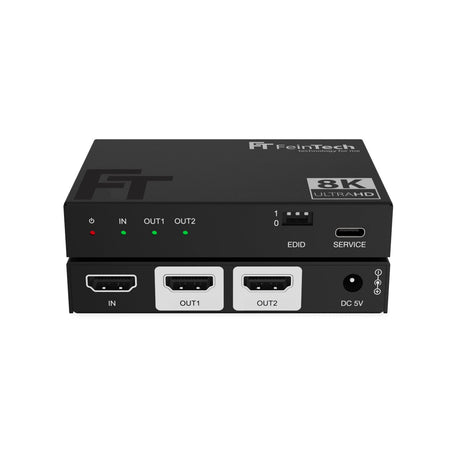
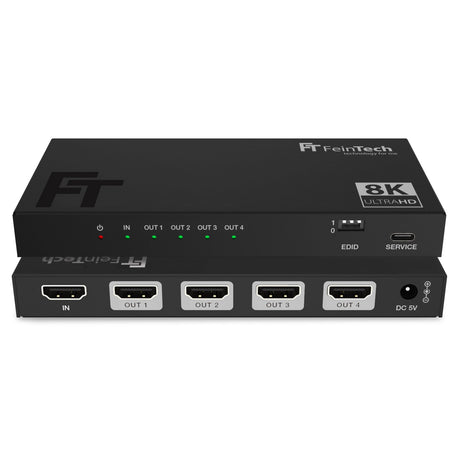
Mit dem SP410 verbindest du eine HDMI-Quelle gleichzeitig mit bis zu vier HDMI-Endgeräten. So kann beispielsweise eine Spielekonsole, ein Gaming-PC, eine Streamingbox oder ein Blu-ray-Player parallel mit mehreren Fernsehern, Monitoren, Projektoren oder anderen HDMI-Geräten verbunden werden. Das Signal steht gleichzeitig an allen vier HDMI-Ausgängen zur Verfügung, sodass eine Quelle ohne Umstecken an mehreren Wiedergabepunkten genutzt werden kann.
Alle angeschlossenen Displays zeigen grundsätzlich denselben Bildinhalt. Bei Anschluss eines Computers wird der Bildschirm deshalb auf den angeschlossenen Displays dupliziert. Ein erweiterter Desktop mit unterschiedlichen Bildinhalten ist mit dem SP410 nicht möglich.
Der SP410 unterstützt die maximale HDMI 2.1 Datenrate von 48 Gbit/s und ist damit für besonders anspruchsvolle Videoformate ausgelegt. Unterstützt werden Auflösungen bis 8K 60Hz sowie dank DSC auch 4K mit bis zu 240Hz.
Damit eignet sich der Splitter besonders für leistungsfähige Gaming-PCs, aktuelle Spielekonsolen und hochwertige AV-Systeme, deren Signal gleichzeitig auf bis zu vier HDMI-Geräte verteilt werden soll. Auch HDR10, HDR10+, HLG und Dolby Vision werden unterstützt.
Zusätzlich werden HDMI 2.1 Funktionen wie VRR, ALLM, QMS, QFT und SBTM durchgeleitet, sofern die HDMI-Quelle, die angeschlossenen Geräte und die verwendeten HDMI-Kabel die jeweiligen Funktionen unterstützen.
Für besonders hohe Auflösungen und Bildwiederholraten unterstützt der SP410 Display Stream Compression, kurz DSC. Damit können kompatible HDMI-Geräte Videosignale bis 4K 240Hz übertragen.
DSC muss von der HDMI-Quelle und den jeweiligen Displays unterstützt werden. Ohne DSC hängt die maximal mögliche Auflösung und Bildwiederholrate vom verwendeten HDMI-Signalformat und der verfügbaren HDMI 2.1 Bandbreite ab.
Der integrierte Downscaler ermöglicht den gemeinsamen Betrieb von Displays mit unterschiedlichen maximalen Auflösungen. So kann beispielsweise ein 4K-Signal auf kompatiblen 4K-Fernsehern erhalten bleiben, während der SP410 die Auflösung für angeschlossene Full-HD-Displays automatisch auf 1080p reduziert.
Auch 8K-Signale können für Displays mit geringerer Auflösung auf 4K oder Full-HD herunterskaliert werden. Der Downscaler unterstützt dabei die Skalierung von 7680 x 4320 auf 3840 x 2160 beziehungsweise 1920 x 1080 sowie von 3840 x 2160 auf 1920 x 1080. Andere Auflösungen, beispielsweise 2560 x 1440, werden nicht skaliert.
Die Bildwiederholfrequenz wird beim Downscaling nicht verändert. Aus 4K 120Hz wird beispielsweise 1080p 120Hz und nicht 1080p 60Hz. Auch HDR-, Farb- und Audioformate werden durch das Downscaling nicht grundsätzlich angepasst. Die angeschlossenen Displays müssen daher die jeweils ausgegebene Bildwiederholrate und die weiteren Signalformate unterstützen.
Damit eine HDMI-Quelle das passende Bild- und Tonsignal ausgibt, erhält sie über EDID Informationen zu den Fähigkeiten der angeschlossenen Geräte. Der SP410 bietet hierfür ein umfangreiches EDID-Management, mit dem sich die Signalausgabe gezielt auf das jeweilige Setup abstimmen lässt.
Über drei DIP-Schalter stehen acht EDID-Konfigurationen zur Verfügung. Neben der Übernahme der EDID-Daten von HDMI OUT1 kannst du bestimmte Video- und Audioeigenschaften gezielt vorgeben. So lassen sich beispielsweise 4K 60Hz oder 8K HDR sowie unterschiedliche Audioformate festlegen.
Diese erweiterten Einstellmöglichkeiten sind besonders praktisch bei anspruchsvollen Multi-Display-Setups, in denen die HDMI-Quelle nicht automatisch das gewünschte Signalformat auswählt.
| Dip | Video | Audio |
|---|---|---|
| 111 | COPY* | COPY* (empfohlen) |
| 001 | COPY* | Audio 5.1 DTS/Dolby/PCM 2.0 |
| 000 | COPY* | Audio 7.1 DTS/Dolby/HD/PCM7.1 |
| 110 | 4K 60Hz 4:4:4 | Audio PCM 2.0 |
| 101 | FRL12G 8K HDR | Audio PCM 2.0 |
| 100 | FRL12G 8K HDR | Audio 5.1 DTS/Dolby/PCM 2.0 |
| 011 | FRL12G 8K HDR | Audio 7.1 DTS/Dolby/HD/PCM7.1 |
| 010 | FRL12G 8K Dolby Vision | Audio 7.1 DTS/Dolby/HD/PCM7.1 |
*COPY bedeutet, die EDID-Daten des angeschlossenen Displays 1 werden übernommen.
FRL12G ermöglicht eine maximale Datenrate von 48 Gbps (HDMI 2.1 Maximum)
Der SP410 überträgt neben dem Bildsignal auch moderne Mehrkanal-Audioformate wie Dolby Atmos, Dolby TrueHD, Dolby Digital Plus, Dolby MAT, DTS:X, DTS-HD, DSD und LPCM bis 7.1.
Über das EDID-Management kannst du beeinflussen, welche Audiofähigkeiten der HDMI-Quelle gemeldet werden. So lässt sich die Audioausgabe passend zu den angeschlossenen Geräten und deinem AV-Setup konfigurieren.
Der SP410 unterstützt die Durchleitung von HDMI-CEC zwischen dem HDMI-Eingang und HDMI OUT1. Dadurch können kompatible Geräte CEC-Steuerbefehle über die HDMI-Verbindung austauschen, beispielsweise zum gemeinsamen Ein- und Ausschalten oder zur Steuerung eines Zuspielers mit der Fernbedienung des Fernsehers.
Die CEC-Kommunikation erfolgt ausschließlich über HDMI OUT1. Welche CEC-Funktionen tatsächlich verfügbar sind, hängt von den angeschlossenen Geräten ab.
Beachte bei Verwendung an einem Computer:
Compare our HDMI splitters
| Facet | |||||
|---|---|---|---|---|---|
| Price | |||||
| Price |
Regular price
€69,99
Unit price
|
Regular price
€89,99
Unit price
|
Regular price
€59,99
Unit price
|
Regular price
€39,99
Unit price
|
Regular price
€59,99
Unit price
|
| Rating | |||||
| Rating | - | ||||
| HDMI version | |||||
| HDMI version | |||||
| HDMI inputs | |||||
| HDMI inputs | - | - | - | - | - |
| HDMI outputs | |||||
| HDMI outputs | |||||
| Video resolution | |||||
| Video resolution | - | - | - | - | - |
| HDMI-CEC control | |||||
| HDMI-CEC control | |||||
| Supported gaming formats | |||||
| Supported gaming formats | - | - | - | - | - |
| Edid Management | |||||
| Edid Management | |||||
| HDMI ARC from TV | |||||
| HDMI ARC from TV | |||||
| Compatible HDCP | |||||
| Compatible HDCP | |||||
What's new in HDMI 2.1? With the Playstation PS5 and Microsoft Xbox Series-X, the first HDMI 2.1 sources from consumer electronics were released in 2020. PC graphics cards can also...
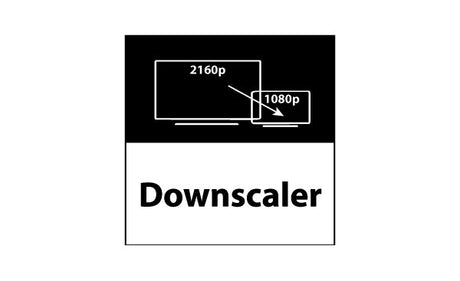
How does a downscaler work in an HDMI splitter and what are the advantages? In the world of home theater technology and professional audio-video applications, HDMI splitters are widely used...

We often get asked which HDMI splitter can be used to connect two monitors to one PC simultaneously. In principle, this works with any of our HDMI splitters or HDMI...


Number of HDMI inputs
Number of HDMI outputs