


HDMI Audio Extractor with Bluetooth Transmitter
Purpose The VAX01301 HDMI Audio Extractor with Bluetooth can output audio from a connected HDMI source or from a TV with an HDMI ARC port. The selection is made at...


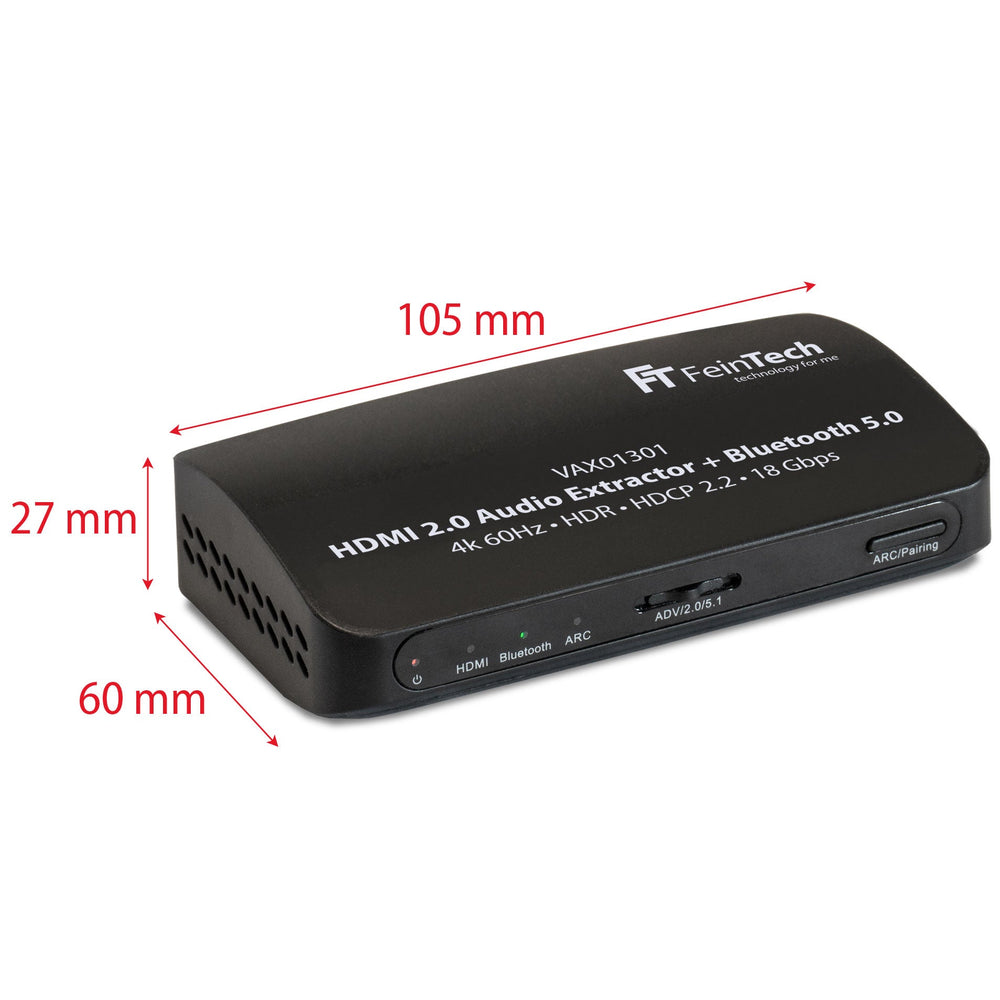
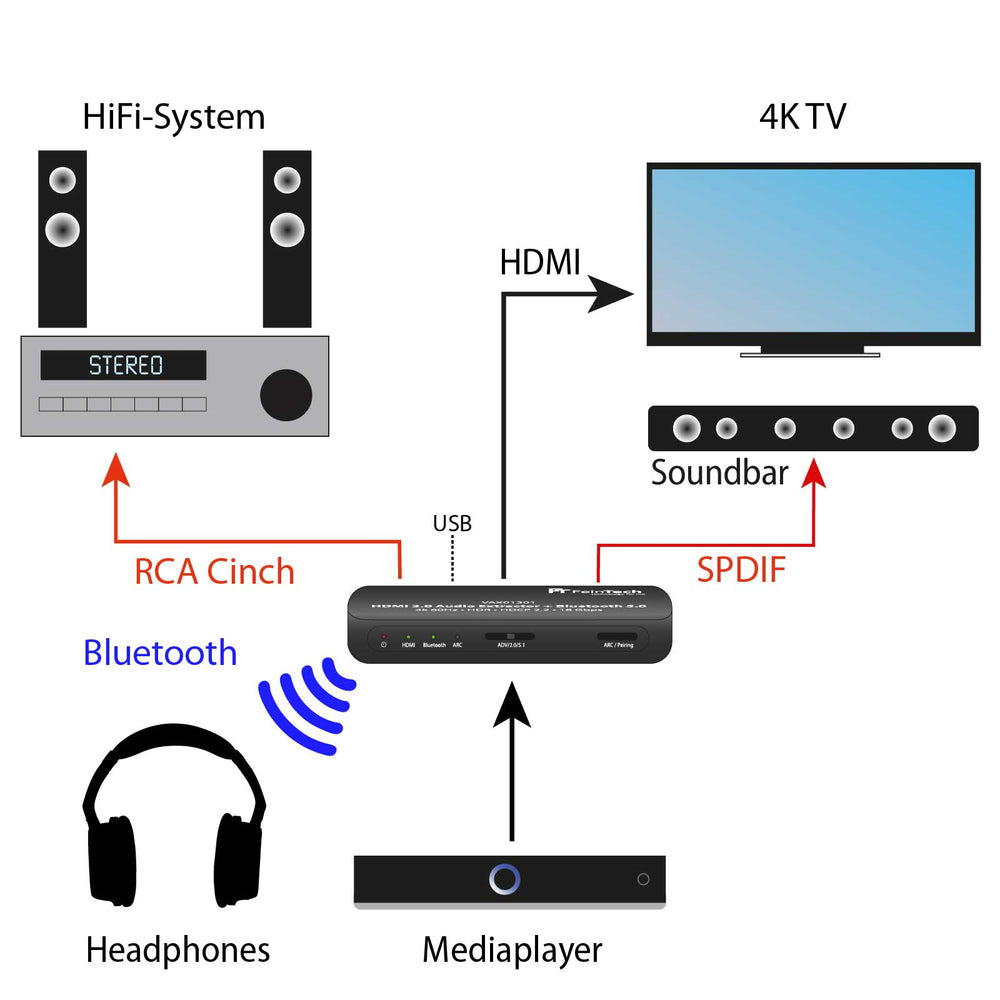
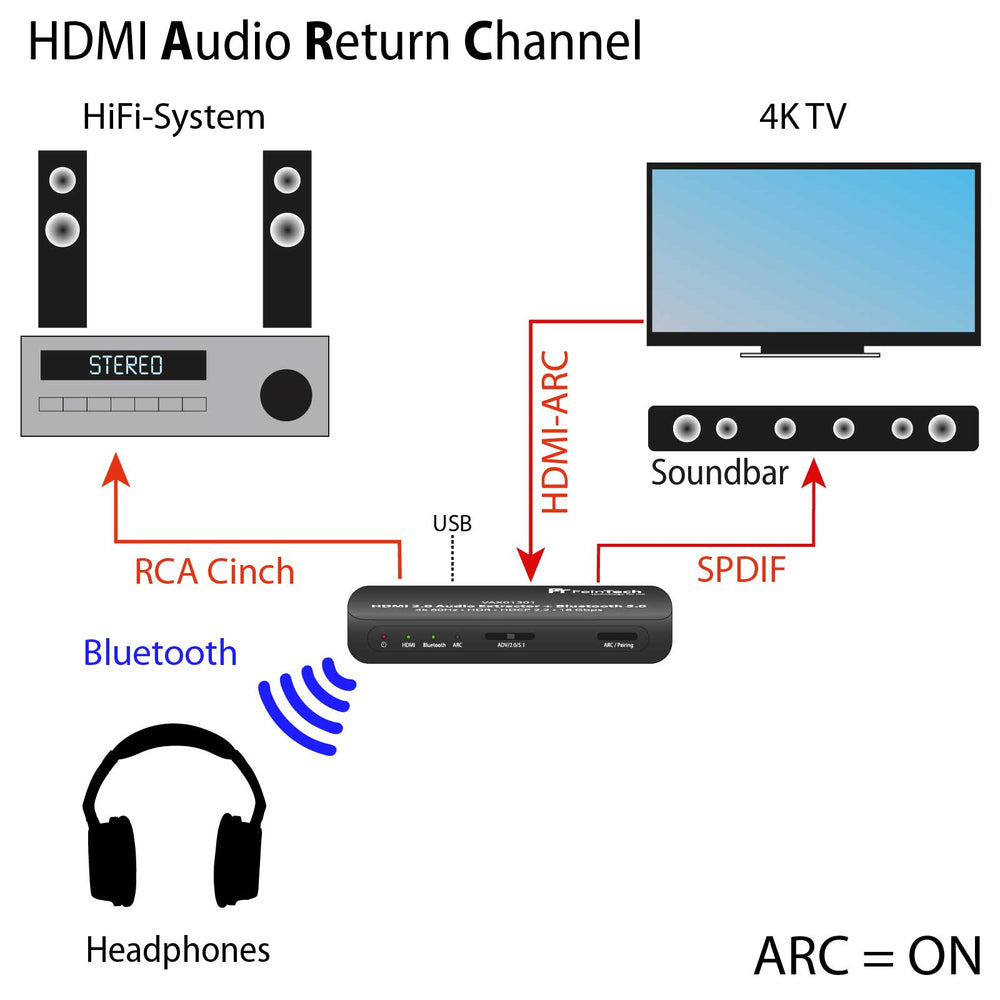
Send the sound from an HDMI signal wirelessly or via Toslink and Cinch to your speakers
VAX01301 HDMI Audio Extractor with Bluetooth audio transmission and ARC is backordered and will ship as soon as it is back in stock.


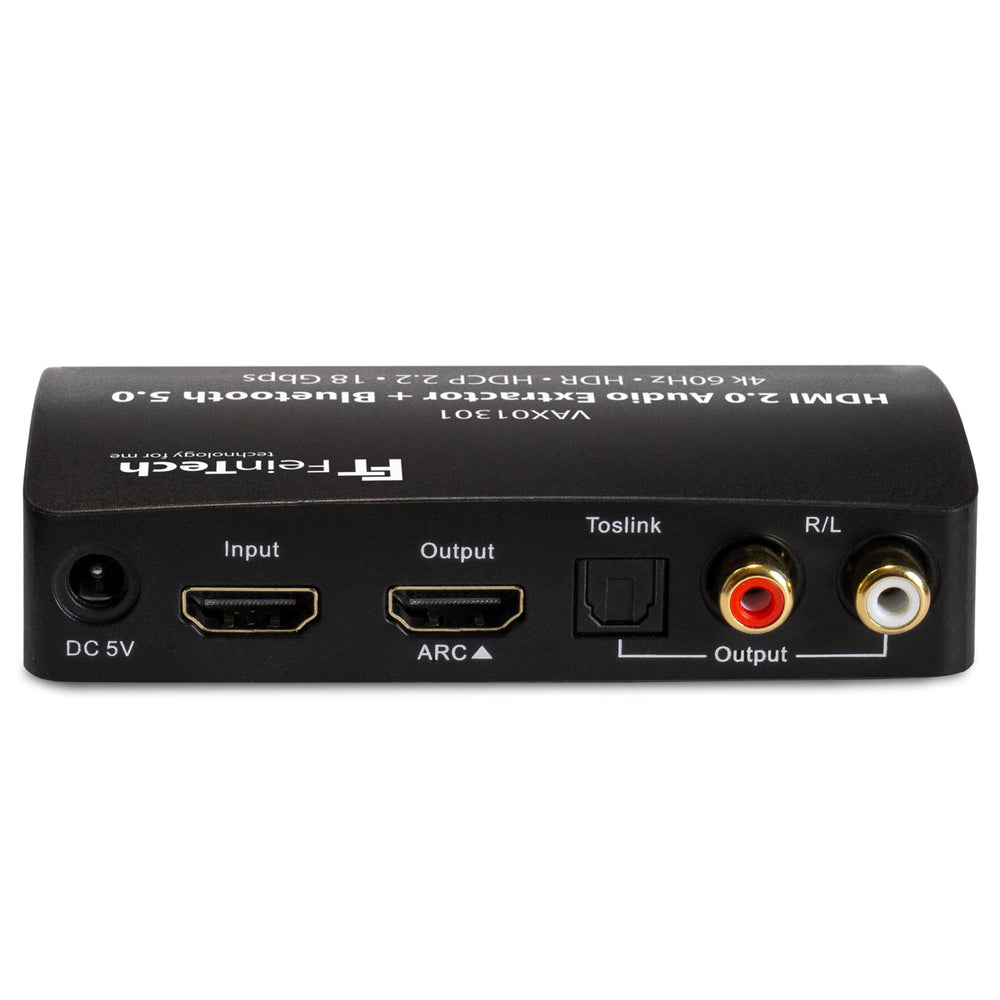
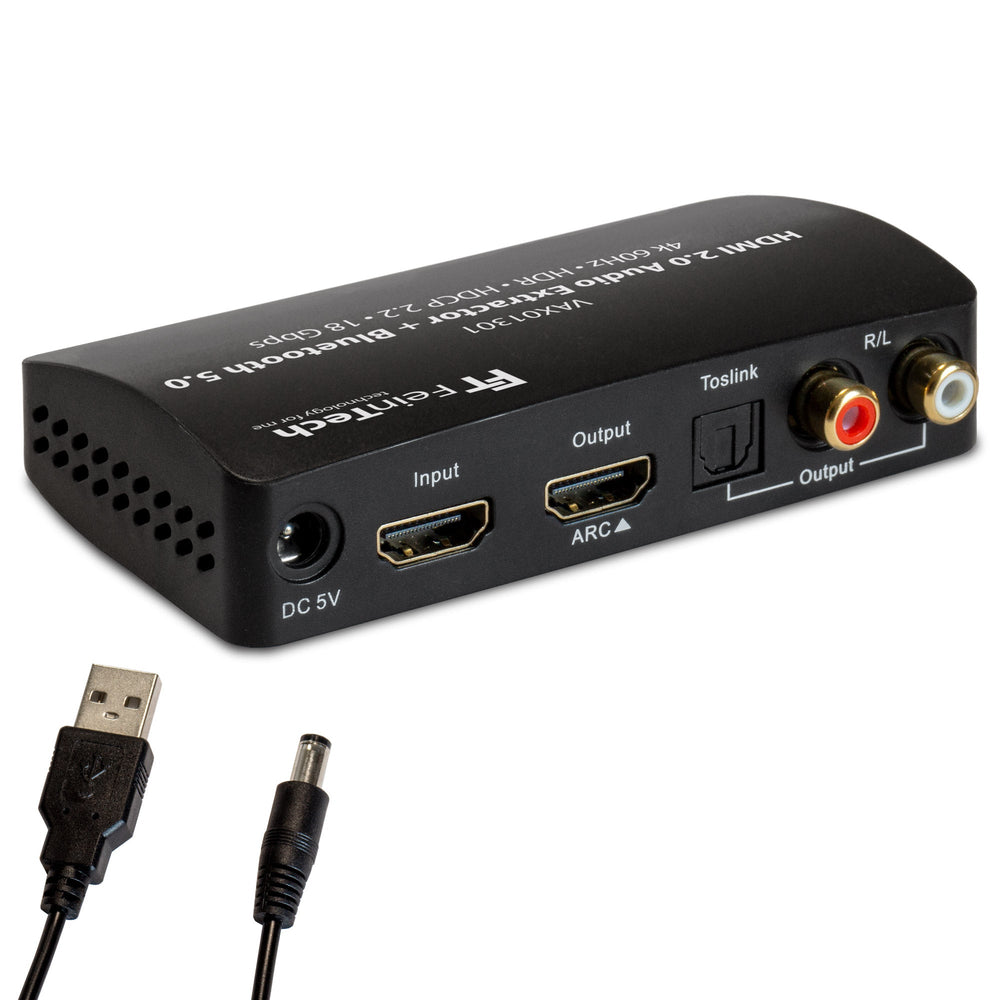
The VAX01301 is used to output the audio from an HDMI signal wirelessly via Bluetooth or via RCA (analog) and SPDIF Toslink (digital). This allows you to use wireless headphones or Bluetooth speakers to output the audio. Or active speakers and a stereo system connected to the audio outputs via a cable.
If your TV supports HDMI-ARC (or HDMI-eARC), the VAX01301 can be connected to it, providing additional audio from apps and the receiver. HDMI-ARC is activated at the touch of a button. To enable stereo and wireless output (Bluetooth audio cannot handle 5.1 audio!), the TV's audio format must be set to PCM stereo , not Bitstream or Dolby. When HDMI-ARC is enabled on your TV, most TVs will mute their internal speakers.
The HDMI audio extractor can also deliver the audio from a player such as Fire TV, Apple TV, etc. that is connected to its HDMI input. A television, monitor, or video projector can be connected to the HDMI output. Ultra HD video resolutions up to 4k 60Hz HDR or Dolby Vision are supported. Stereo audio is also output wirelessly or via RCA/SPDIF from this input. 5.1 audio with Dolby Digital or DTS can only be extracted via SPDIF Toslink. The audio from the player is always transmitted in parallel to the television, allowing you to hear it through the TV speakers at the same time if desired. The maximum audio format of the player can be limited using the 2.0/5.1 or Advanced (Audio EDID mode) selection button. For example, to stereo to enable Bluetooth audio transmission. In Advanced mode, all audio formats are supported. But higher audio formats can only be transmitted via HDMI, not via RCA or Toslink.
The VAX01301 delivers constant audio output levels. The volume cannot be changed using the television remote control. You can adjust the volume on the headphones or sound system. Many televisions or media players (Apple TV, Fire TV) offer a universal remote control function to control the sound system.
The VAX01301 is powered via USB (power supply not included), e.g. from the television. Alternatively, any USB power supply can be used.
Scope of delivery: HDMI audio extractor, USB cable, and instructions. Dimensions: 105 x 65 x 28 mm.
Compare our HDMI Audio Extractor for sound systems with optical input
| Facet |
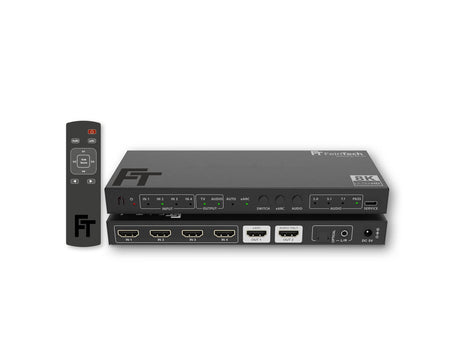
SW411 HDMI 2.1 Switch 4 In 1 Out with HDMI Audio Extractor (HDMI Audio, Toslink, AUX) | 4K 120Hz | eARC View details | ||||
|---|---|---|---|---|---|
| Price | |||||
| Price |
Regular price
€69,99
Unit price
|
Regular price
€49,99
Unit price
|
Regular price
€69,99
Unit price
|
Regular price
€79,99
Unit price
|
Regular price
€139,00
Unit price
|
| Rating | |||||
| Rating | |||||
| HDMI Version | |||||
| HDMI Version | |||||
| HDMI Inputs | |||||
| HDMI Inputs | - | - | - | - | - |
| HDMI Outputs | |||||
| HDMI Outputs | |||||
| Audio Output | |||||
| Audio Output | |||||
| Video Resolution | |||||
| Video Resolution | - | - | - | - | - |
| HDMI-CEC Control | |||||
| HDMI-CEC Control | |||||
| EDID-Management | |||||
| EDID-Management | |||||
| Auto-switching | |||||
| Auto-switching | - | - | - | ||
| Supported gaming formats | |||||
| Supported gaming formats | - | - | - | - | - |
| HDMI ARC from TV | |||||
| HDMI ARC from TV | - | ||||
| Compatible HDCP | |||||
| Compatible HDCP | |||||
Purpose The VAX01301 HDMI Audio Extractor with Bluetooth can output audio from a connected HDMI source or from a TV with an HDMI ARC port. The selection is made at...

What is an HDMI audio extractor used for? An HDMI Audio Extractor is a handy device that allows you to extract audio signals from an HDMI signal and route them...

Wireless signal transmission via Bluetooth is convenient. For example, music can be streamed from a smartphone or television to wireless headphones. The bandwidth of Bluetooth was originally very limited. Since...


Number of HDMI inputs
Number of HDMI outputs