

HDMI 2.1 features
What's new in HDMI 2.1? With the Playstation PS5 and Microsoft Xbox Series-X, the first HDMI 2.1 sources from consumer electronics were released in 2020. PC graphics cards can also...



Erlebe volle HDMI 2.1 Leistung mit bis zu 8K 60Hz auf zwei Displays gleichzeitig.
SP210 HDMI 2.1 Splitter 1 In 2 Out für 8K 60Hz und 4K 240Hz (DSC) mit Downscaler is backordered and will ship as soon as it is back in stock.


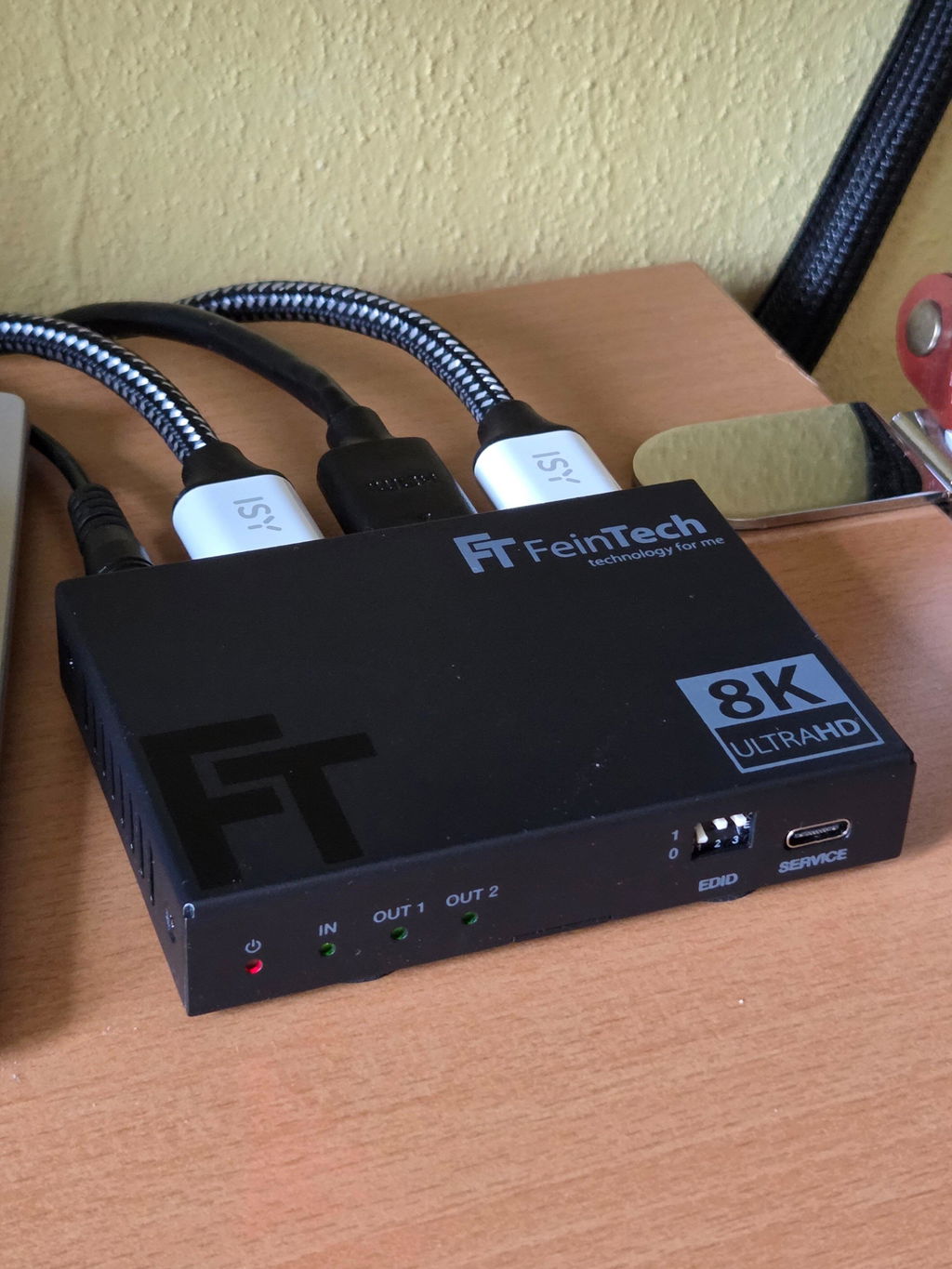
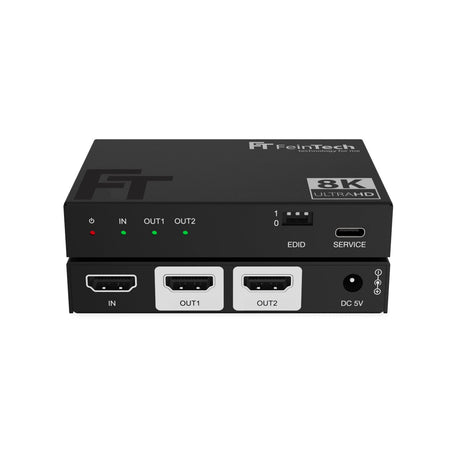
Der SP210 HDMI 2.1 Splitter verteilt das Bild- und Tonsignal einer HDMI-Quelle gleichzeitig auf zwei HDMI-Geräte. Mit der vollen HDMI 2.1 Bandbreite von 48 Gbit/s, Auflösungen bis 8K 60Hz sowie 4K 240Hz mit DSC eignet er sich besonders für anspruchsvolle Gaming-, Heimkino- und AV-Setups. Der integrierte Downscaler ermöglicht dabei auch den gemeinsamen Betrieb von Displays mit unterschiedlichen Auflösungen. Über das umfangreiche EDID-Management kannst du zusätzlich gezielt festlegen, welche Bild- und Audioformate der Zuspieler ausgeben soll.
Mit dem SP210 verbindest du eine HDMI-Quelle gleichzeitig mit zwei HDMI-Endgeräten. So kann beispielsweise eine Spielekonsole, ein Gaming-PC, eine Streamingbox oder ein Blu-ray-Player parallel mit zwei Fernsehern, Monitoren, Projektoren oder anderen HDMI-Geräten verbunden werden. Das Signal steht gleichzeitig an beiden HDMI-Ausgängen zur Verfügung, sodass kein Umstecken der HDMI-Verbindung erforderlich ist.
Beide Displays zeigen grundsätzlich denselben Bildinhalt. Bei Anschluss eines Computers wird der Bildschirm deshalb auf beiden Displays dupliziert. Ein erweiterter Desktop mit unterschiedlichen Bildinhalten ist mit dem SP210 nicht möglich.
Der SP210 unterstützt die maximale HDMI 2.1 Datenrate von 48 Gbit/s und ist damit für besonders anspruchsvolle Videoformate ausgelegt. Unterstützt werden Auflösungen bis 8K 60Hz sowie dank DSC auch 4K mit bis zu 240Hz.
Damit eignet sich der Splitter besonders für leistungsfähige Gaming-PCs, aktuelle Spielekonsolen und hochwertige Heimkino-Systeme. Auch HDR10, HDR10+, HLG und Dolby Vision werden unterstützt.
Zusätzlich werden HDMI 2.1 Funktionen wie VRR, ALLM, QMS, QFT und SBTM durchgeleitet, sofern die HDMI-Quelle, die angeschlossenen Geräte und die verwendeten HDMI-Kabel die jeweiligen Funktionen unterstützen.
Für besonders hohe Auflösungen und Bildwiederholraten unterstützt der SP210 Display Stream Compression, kurz DSC. Damit können kompatible HDMI-Geräte Videosignale bis 4K 240Hz übertragen.
DSC muss von der HDMI-Quelle und dem jeweiligen Display unterstützt werden. Ohne DSC hängt die maximal mögliche Auflösung und Bildwiederholrate vom verwendeten HDMI-Signalformat und der verfügbaren HDMI 2.1 Bandbreite ab.
Der integrierte Downscaler ermöglicht den gemeinsamen Betrieb von Displays mit unterschiedlichen maximalen Auflösungen. So kann beispielsweise ein 4K-Signal auf einem kompatiblen 4K-Fernseher erhalten bleiben, während der SP210 die Auflösung für einen angeschlossenen Full-HD-Projektor automatisch auf 1080p reduziert.
Auch 8K-Signale können für Displays mit geringerer Auflösung auf 4K oder Full-HD herunterskaliert werden. Der Downscaler unterstützt dabei die Skalierung von 7680 x 4320 auf 3840 x 2160 beziehungsweise 1920 x 1080 sowie von 3840 x 2160 auf 1920 x 1080. Andere Auflösungen werden nicht skaliert.
Die Bildwiederholfrequenz wird beim Downscaling nicht verändert. Aus 4K 120Hz wird beispielsweise 1080p 120Hz und nicht 1080p 60Hz. Auch HDR-, Farb- und Audioformate werden durch das Downscaling nicht grundsätzlich angepasst. Das angeschlossene Display muss daher die ausgegebene Bildwiederholrate und die weiteren Signalformate unterstützen.
Damit eine HDMI-Quelle das passende Bild- und Tonsignal ausgibt, erhält sie über EDID Informationen zu den Fähigkeiten der angeschlossenen Geräte. Der SP210 bietet hierfür ein umfangreiches EDID-Management, mit dem sich die Signalausgabe gezielt auf das jeweilige Setup abstimmen lässt.
Über drei DIP-Schalter stehen acht EDID-Konfigurationen zur Verfügung. Neben der Übernahme der EDID-Daten von HDMI OUT1 kannst du bestimmte Video- und Audioeigenschaften gezielt vorgeben. So lassen sich beispielsweise 4K 60Hz oder 8K HDR sowie unterschiedliche Audioformate festlegen.
Diese erweiterten Einstellmöglichkeiten sind besonders praktisch bei anspruchsvollen Setups, in denen die HDMI-Quelle nicht automatisch das gewünschte Signalformat auswählt.
| Dip | Video | Audio |
|---|---|---|
| 111 | COPY* | COPY* (empfohlen) |
| 001 | COPY* | Audio 5.1 DTS/Dolby/PCM 2.0 |
| 000 | COPY* | Audio 7.1 DTS/Dolby/HD/PCM7.1 |
| 110 | 4K 60Hz 4:4:4 | Audio PCM 2.0 |
| 101 | FRL12G 8K HDR | Audio PCM 2.0 |
| 100 | FRL12G 8K HDR | Audio 5.1 DTS/Dolby/PCM 2.0 |
| 011 | FRL12G 8K HDR | Audio 7.1 DTS/Dolby/HD/PCM7.1 |
| 010 | FRL12G 8K Dolby Vision | Audio 7.1 DTS/Dolby/HD/PCM7.1 |
*COPY bedeutet, die EDID-Daten des angeschlossenen Displays 1 werden übernommen.
FRL12G ermöglicht eine maximale Datenrate von 48 Gbps (HDMI 2.1 Maximum)
Der SP210 überträgt neben dem Bildsignal auch moderne Mehrkanal-Audioformate wie Dolby Atmos, Dolby TrueHD, Dolby Digital Plus, Dolby MAT, DTS:X, DTS-HD, DSD und LPCM bis 7.1.
Über das EDID-Management kannst du beeinflussen, welche Audiofähigkeiten der HDMI-Quelle gemeldet werden. So lässt sich die Audioausgabe passend zu den angeschlossenen Geräten und deinem AV-Setup konfigurieren.
Der SP210 unterstützt die Durchleitung von HDMI-CEC zwischen dem HDMI-Eingang und HDMI OUT1. Dadurch können kompatible Geräte CEC-Steuerbefehle über die HDMI-Verbindung austauschen, beispielsweise zum gemeinsamen Ein- und Ausschalten oder zur Steuerung eines Zuspielers mit der Fernbedienung des Fernsehers.
Die CEC-Kommunikation erfolgt ausschließlich über HDMI OUT1. Welche CEC-Funktionen tatsächlich verfügbar sind, hängt von den angeschlossenen Geräten ab.
Bitte beachte:
ARC und eARC werden vom SP210 nicht unterstützt. Der Splitter eignet sich daher nicht dazu, den Fernsehton über den Audiorückkanal an eine Soundbar oder einen AV-Receiver weiterzuleiten. Wenn das HDMI-Signal zusätzlich an ein Audiosystem ausgegeben werden soll, ist je nach Anwendung ein HDMI Audio Extractor die geeignetere Lösung.
Beachte bei Verwendung an einem Computer:
Compare our HDMI splitters
| Facet | |||||
|---|---|---|---|---|---|
| Price | |||||
| Price |
Regular price
€69,99
Unit price
|
Regular price
€89,99
Unit price
|
Regular price
€59,99
Unit price
|
Regular price
€39,99
Unit price
|
Regular price
€59,99
Unit price
|
| Rating | |||||
| Rating | - | ||||
| HDMI version | |||||
| HDMI version | |||||
| HDMI inputs | |||||
| HDMI inputs | - | - | - | - | - |
| HDMI outputs | |||||
| HDMI outputs | |||||
| Video resolution | |||||
| Video resolution | - | - | - | - | - |
| HDMI-CEC control | |||||
| HDMI-CEC control | |||||
| Supported gaming formats | |||||
| Supported gaming formats | - | - | - | - | - |
| Edid Management | |||||
| Edid Management | |||||
| HDMI ARC from TV | |||||
| HDMI ARC from TV | |||||
| Compatible HDCP | |||||
| Compatible HDCP | |||||
What's new in HDMI 2.1? With the Playstation PS5 and Microsoft Xbox Series-X, the first HDMI 2.1 sources from consumer electronics were released in 2020. PC graphics cards can also...
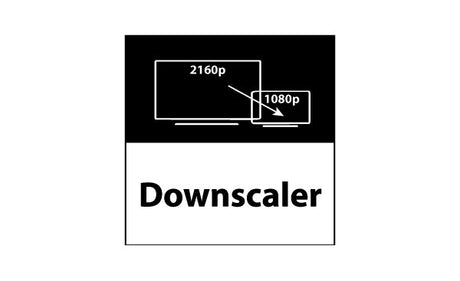
How does a downscaler work in an HDMI splitter and what are the advantages? In the world of home theater technology and professional audio-video applications, HDMI splitters are widely used...

We often get asked which HDMI splitter can be used to connect two monitors to one PC simultaneously. In principle, this works with any of our HDMI splitters or HDMI...
Dieser HDMI 2.1-Splitter teilt Signale effektiv auf mehrere Displays mit 4K 120 Hz und 8K 60 Hz auf. Kunden sagten, es „funktioniert wie angekündigt“ und lobten seine Zuverlässigkeit bei Spielekonsolen wie Xbox Series X und PS5 Pro. Ein Kunde stellte eine geringere Latenz beim Spielen fest. In den Testberichten wird der hervorragende Kundensupport und die hochwertige Verarbeitung hervorgehoben. Erfolgreiche Setups wurden mit langen Kabeln ohne Ausfälle durchgeführt.
Bereits vor etwas mehr als einem Jahr habe ich einen Weg gesucht um meine HDMI 2.0 Soundbar und meinen HDMI 2.1 Monitor gleichzeitig mit der Xbox Series X zu betreiben. Damals habe ich den AX211 gekauft, der seine Aufgabe problemlos erfüllt hat. Jetzt habe ich aber auch noch einen Fernseher, der ein HDMI-Signal braucht.
Daraufhin habe ich mich nocheinmal hier umgeschaut und zunächst den SW211 bestellt. Dieser hat für mich leider nicht funktioniert, da die Gesamtkabellänge und Datenrate scheinbar zu groß war. Der Service von FeinTech war aber ausgezeichnet, sodass ich den SW211 problemlos zurückschicken konnte.
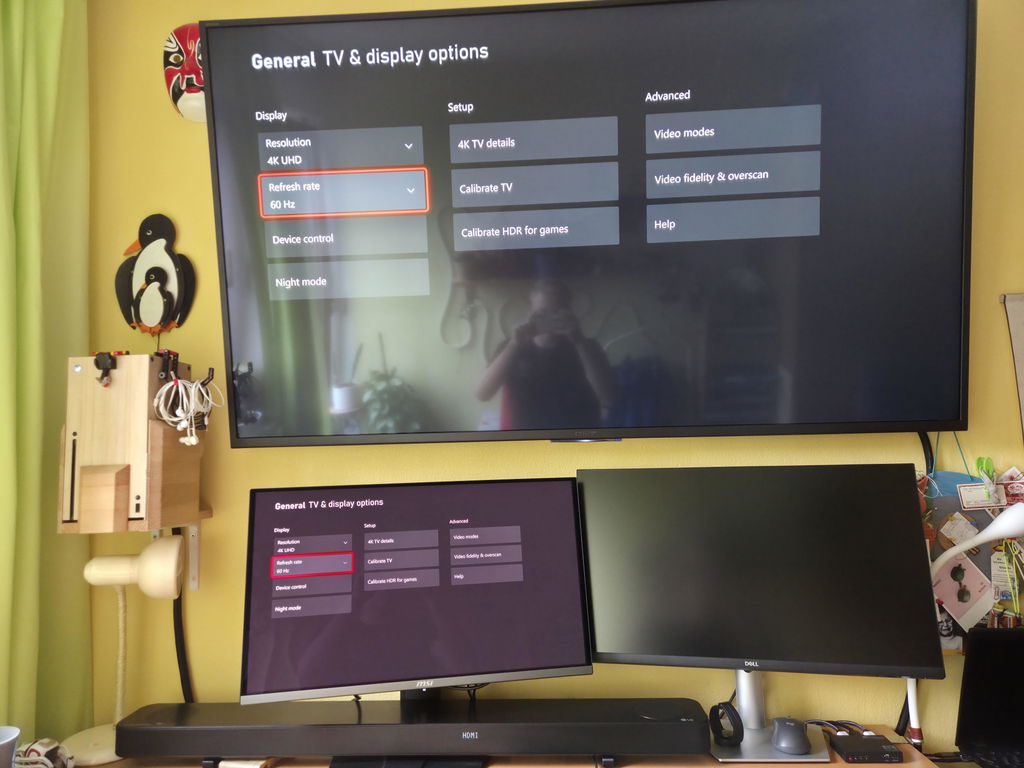
Daher habe ich nun den SP210 bestellt und er funktioniert soweit ohne Probleme. Am Input hängt die Xbox, an Out 1 der Monitor, an Out 2 die Soundbar. Am HDMI-Output der Soundbar hängt der Fernseher. Zwischen der Xbox und dem Monitor liegen etwa 4,5m und 9m zwischen dem Fernseher und der Xbox. Das ganze System funktioniert ohne jegliche Bildausfälle. Der Monitor läuft bei 4k 120Hz und der Fehrnseher bei 4k 60Hz.
Feintech SP210 is the first device I've tried (and I tried a few) that actually delivers 4K 120Hz on PS5 Pro without issues.
Customer support was also excellent, very helpful before purchase
funktioniert wie es soll, gerne wieder
.
Eine ganz feine Kiste, die eine Playstation 5 Pro mit einem 8kTV und einem 4kTV verbindet. Der Frieden im Wohnzimmer ist durch diese kleine aber feine Kiste gesichert. Und ich muss nicht aufstehen zum Umstecken.
Sehr gutes Gerät
Mit diesem Gerät habe ich die Latenzzeit zum gamen um fast die hälfte verringert, da ich sogar 2 weitere Ketten habe, von Konsole zum Fernseher. Läuft verständlicher weise nicht simultan, aber den Fernseher kann man ja auf stumm stellen, deswegen den 1 Stern abzug.
Schnelle Lieferung, hochwertiges Produkt
I want to use this for my xbox series x with 4k 120hz to my main display and 4k 60hz to my secondary. Is this possible? I dont understand the graph because I dont want 1080p 120hz on the secondary
It is correct that you see 1080p 120Hz in the graphic. If your Xbox is set to 4K 120Hz resolution, there is no output in 4K 60Hz at the same time for a second display. The splitter can only downscale the video signal to 1080p resolution and keep the 120Hz frame rate. This will ensure a smooth picture on the second display. Frame skipping would look terrible. Recalculating the video signal would also require more powerful hardware and result in a delay.
What is the recommended cable length for 4K 120hz output on two monitors?
The recommended maximum cable length for a passive HDMI cable is 3 m (@4K 120Hz). A longer distance can be achieved using a ProAqtive active HDMI cable.
Does it support 4K 240Hz for dual output?
Yes, with DSC (Display Stream Compression) enabled, 4K @ 240Hz can be supported.
Please note that both your source and displays must support DSC, and the same signal will be mirrored on both outputs.
Hello,
I have to ask you for a splitter in your catalog that best suit my configuration.
I have to split the signal from my source to a video projector 4K capable of decoding HDR10+ and an old AV receiver with HDMI only 1.4 with a connected 1080p display.
The AV receiver Is compatibile with HD audio as DTS master audio or Dolby true HD (not Atmos).
I presume to connect the projector to HDMI splitter out1 and the AV receiver with secondary monitor 1080p to splitter hdmi out2.
Do this configuration will grant me to manage the full potential of audio lossless multichannel formats?
Another splitter I have send the correct video 4K HDR10+ to projector and the correct 1080p signal to secondary monitor connected to AV receiver, but the audio to the AV receiver Is only PCM 2.0.
What of your splitter Is the best for my configuration?
Best regards,
Marco Chiariotti
We recommend to use an HDMI audio extractor for such a purpose. Use AX211 if you want to connect one source only, or use SW411 for up to 4 sources / players.
Ich haben eine Switch 2 von dem das hdmi Signal zum Panasonic GZW1004 soll und einen Gigabyte FO27Q3 die Entfernung zwischen der Konsole und dem PC Monitor sind ca 10 Meter, dafür habe ich ein optisches hdmi 8k Kabel. Entfernung Konsole zum tv und dem hdmi Umschalter ist zwischen 1-3 Meter. Was brauche ich für ein Umschalter, will aktiv den entsprechenden Monitor umschalten können, entweder tv oder pc Monitor. 8k geeignet sollte es auch sein
Mit einem passiven Umschalter lässt sich leider kein Glasfaserkabel nutzen. Daher müsste das Signal über einen HDMI-Splitter verteilt werden. Der Monitor unterstützt 1440p bis 360Hz & HDR10, der Fernseher aber 4K bis 60Hz & Dolby Vision. Es sollte daher an der Nintendo Switch 2 die Videoauflösung 1440p 60Hz HDR10 gewählt werden, damit beide Displays ein Signal anzeigen können. Oder es müsste jedes Mal umständlich im Menü geändert werden. Am besten geeignet wäre der Splitter SP210.

Number of HDMI inputs
Number of HDMI outputs