Simply use your fingerprint instead of passwords
- USB fingerprint sensor specifically for biometric login with Windows Hello (instead of a password), very secure and cannot be spied on
- Driver support is already included in Windows 10 and Windows 11, so no software installation is necessary
- Fingerprint scanner with 360° area sensor - just tapping is enough, very quick recognition from all directions
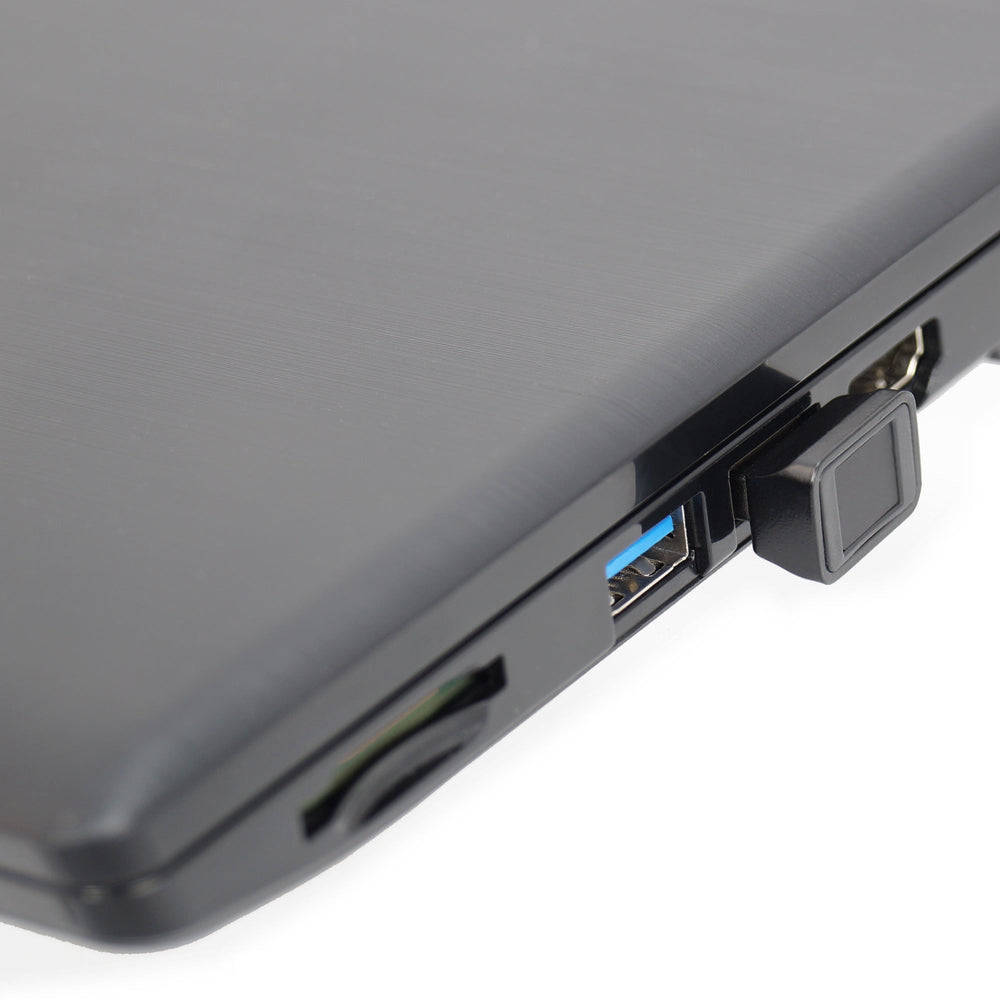
- Very compact, straight design - fits into any USB port (USB 2.0 / 3.0) and protrudes less than 1 cm, ideal for notebook or laptop
- 10 fingers (or different persons) can be trained, Smart Learning continuously improves the recognition rate
No more remembering or typing an insecure password, no more fear of prying eyes: With this fingerprint sensor you can easily upgrade your Windows system. A free USB 2.0 or 3.0 interface is sufficient for this. The fingerprint sensor recognizes your fingerprint and logs you into Windows in a second. For the initial setup, your fingerprints must be “learned”. A smart algorithm helps here, learning through frequent repetition and accelerating recognition. 10 different fingers can be trained - either all by you or by several people. The sensor surface enables 360° detection. So you don't have to place your finger at a certain angle. This is really suitable for everyday use. Once you get to know the function, you won't want to be without it.
Biometric login is already included in Windows 10 & 11 and is called Windows Hello. There is therefore no software installation necessary, everything is prepared in Windows 10 & 11. The drivers are also included in Windows or, if necessary, can be loaded automatically via an online connection via Windows Update.
If the fingerprint sensor is removed from the computer, the conventional password entry takes effect. When you plug it in again, fingerprint registration is immediately active again. No repeated setup is necessary. There is a setup video here .
Tip: When updating to a new version of Windows, the driver is sometimes only installed if you have ticked Fingerprint under "Windows Update - Optional Updates". Please note that for some Windows 11 installations, “Additional settings > Sign in with an external camera or fingerprint reader” must be enabled.
- Hardware IDs 3274 & 8012
- Supports Windows 10 (x64) and Windows 11 (x64)
- Automatic driver installation via Windows Update
- Not suitable for Win7/8, not for MacOS, not for Linux, not for WindowsOnARM / Snapdragon