What is ARC for?
Many users have already noticed that the number of ports on current televisions is decreasing. Analog connections for headphones, speakers, or stereo systems are frowned upon. HDMI offers a universal solution for digital signal transmission to the TV – but how do I send the TV sound to a sound system?
HDMI also offers a function for this: Since HDMI 1.4, there has been the Audio Return Channel (ARC). The usual setup of a home theater system looks like this: media player > AV receiver (or soundbar) > TV. The media player delivers video & audio to the AV receiver, which outputs the sound and passes the signal to the TV. The TV then primarily provides only the picture. Nowadays, streaming service apps like Netflix, Amazon Prime, Disney, etc., play an important role. These much more frequently offer 5.1 sound or even Dolby Atmos than conventional TV broadcasts. For playback, the sound can be transmitted in the reverse direction via HDMI. The signal path is then from the TV to the AV receiver. The TV uses the same HDMI cable as in normal operation for this. The signal direction must therefore be switched. Usually, only one of the TV's HDMI sockets can do this, and it is labeled ARC.

In the next step, the TV must be switched to ARC output. Most of the time, the internal speakers then switch off. The sound from the app or the internal TV tuner is then output from the HDMI-ARC socket and transmitted to the sound system. This then plays the sound – even multichannel.
Practical pitfalls
Unfortunately, HDMI is more complicated to use than expected. Many desired configurations do not work as hoped. Device manufacturers and content providers simply don't write down everything that doesn't work. Here are a few practical tips:
- Streaming apps like Netflix or Amazon Prime often list the available audio formats for movies and series. However, they often forget that only the original audio is delivered in multichannel. The German audio is then only stereo or only 5.1 instead of Dolby Atmos.
- The media libraries of public broadcasters also only deliver stereo. Although Dolby Digital is also used for reception via satellite, antenna, or cable.
- YouTube has countless surround tests & trailers – however, the YouTube app on most devices can only do stereo.
- Always connect the HDMI output (not an input) of a sound system, HDMI audio extractor, or switch to the HDMI input of the TV. ARC is only the return channel for audio; the main signal direction is reversed.
Digital audio signals do not have volume information. Volume control is therefore no longer possible directly with the TV remote control. Instead, the TV transmits a control signal via HDMI-CEC to the sound system and instructs it to change the volume. Therefore, with many TVs, the ARC function is only possible with active CEC. (Manufacturer names for CEC are Simplink (LG), Bravia Sync (Sony), Anynet+ (Samsung), VieraLink (Panasonic), etc.)
Audio formats via ARC
The following formats can be transmitted via ARC:
| Format | Content |
| Stereo | 2.0 (uncompressed) |
| Dolby Digital / AC3 | 2.0 or 5.1 Sound |
| DTS | 2.0 or 5.1 Sound |
| Dolby Digital Plus / eAC3 / DD+ | 2.0, 5.1, 7.1 Sound or Dolby Atmos |
Many TVs cannot yet output DD+ via ARC. This is because it was not part of the original specification. LG and Samsung TVs have been able to do so since around 2016. Officially, only HDMI 2.1 with eARC (enhanced Audio Return Channel) enables such higher audio formats (see below).
ARC when using additional HDMI components
If you use active HDMI cables or repeaters, these must also explicitly support ARC! Otherwise, such signal amplifiers prevent the return of the audio signal. HDMI splitters usually do not support ARC. This is because HDMI-ARC only works with CEC communication on many TVs. A TV communicates with a sound system and the sources. However, with CEC, there can only be one TV and one sound system; more is not specified. When operating two TVs in an HDMI chain, there would otherwise be unforeseeable malfunctions.
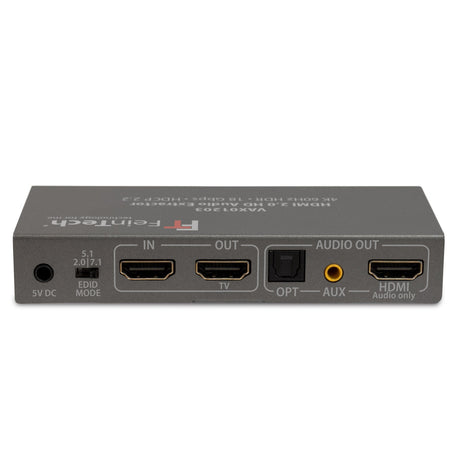
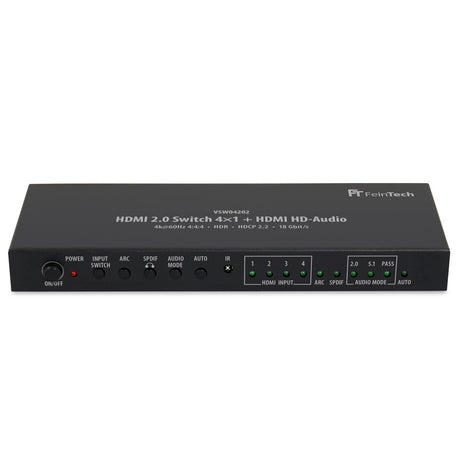
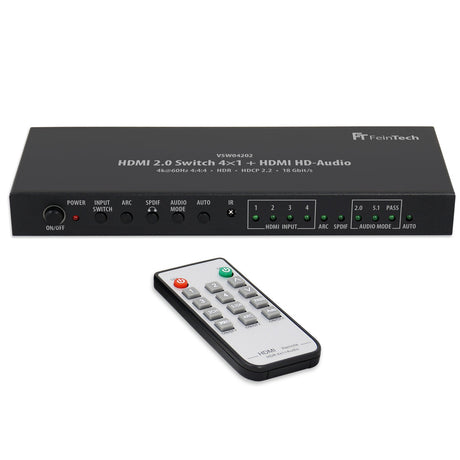
Even with an HDMI switch or matrix switch, the ARC function is rare. If available, there is always a button labeled ARC for switching the signal direction. With the help of an HDMI audio extractor, you can extract the sound. However, note that ARC audio is almost always output digitally and therefore will not be played on an analog stereo system. You must therefore use a digital audio connection (usually digital optical).
Difference to SPDIF Digital Audio
Compared to a digital audio connection via SPDIF (Toslink or Coax), HDMI ARC has the following advantages:
- Lip-sync function for automatic synchronization of picture & sound
- Support for Dolby Digital Plus (with Dolby Atmos, only on newer devices)
- Volume control via TV remote control through HDMI-CEC
At this point, however, we do not want to conceal that in practice, compatibility problems with ARC are far more common than with SPDIF connections. This is due to the complex communication between devices and the multitude of possible formats.
The eARC of HDMI 2.1
The new HDMI 2.1 standard provides for an extended ARC. Therefore, it is also called enhanced Audio Return Channel, or eARC for short. This is also an audio return channel that delivers sound contrary to the HDMI signal direction. The HDMI input of a TV therefore delivers an eARC audio signal. This outputs the internal TV sound (e.g., satellite TV or Smart TV app) to a sound system. When the eARC of a TV is active, the internal speakers usually remain silent. However, the sound of other players connected to the TV can also be routed through.
No DTS passthrough
Sometimes there is the problem that DTS sound is not transmitted, especially with new LG and Samsung TVs. The passthrough is suppressed by the TV manufacturer because it cannot be played through internal speakers due to a lack of decoders. Sometimes, at least stereo is played.
DTS formats are found exclusively on Blu-ray discs. To listen to such media with multichannel sound, there are two options:
1. Either output the sound already decoded (many Blu-ray players and also the Xbox or Playstation can do this). The game consoles have an additional menu for this, which only appears when a Blu-ray is inserted and allows different audio settings. If you set that DTS is not supported by the sound system, it will be output decoded as PCM5.1 or PCM7.1. This is almost lossless, only DTS-X metadata is omitted.
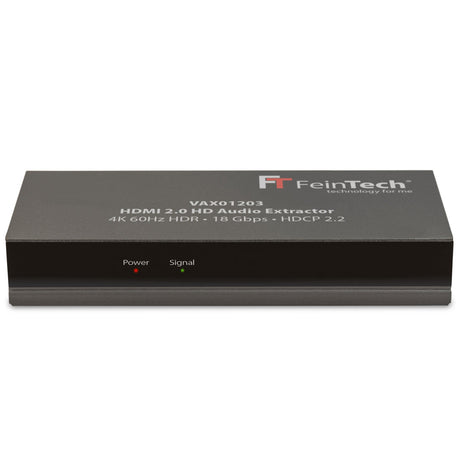
2. Or do not use an HDMI-eARC connection and instead transmit the sound separately. This works if the sound system has at least one "real" HDMI input. The second HDMI output of the Blu-ray player can be connected there. If there is only a single HDMI output on the player, the signal can be distributed, e.g., with the FeinTech VAX01203 or VSW04202.
Advantages of eARC
eARC has more bandwidth than ARC and supports additional audio formats:
| Format | Content |
| PCM 5.1 / 7.1 | uncompressed 5.1 and 7.1 Sound |
| DTS HD High Resolution Audio | compressed 5.1 or 7.1 Sound** |
| DTS HD Masteraudio | uncompressed 5.1 or 7.1 Sound** |
| Dolby True HD | uncompressed 5.1 or 7.1 Sound* |
| Dolby MAT | uncompressed 7.1 Sound with Atmos |
*can contain Dolby Atmos metadata for 3D Sound
**can contain DTS:X metadata for 3D Sound
Do I need eARC for the best sound?
No, HDMI-eARC is only needed if external players are to route HD audio formats through the TV to the connected sound system.
My TV only has one HDMI-ARC / HDMI-eARC port. But I want to operate 2 sound systems with it. How do I do that?
That doesn't work directly. Because HDMI-ARC is an addressed point-to-point connection, and only a single sound system is intended. The TV cannot address 2 systems, no matter what you put in between. The sound would also rarely be synchronized. Presumably, such a scenario was therefore not considered during the development of the HDMI standard. What can be done?
- Our adapter VMA00201 can simultaneously operate a soundbar with HDMI-ARC in Dolby Digital 5.1 and headphones in stereo.
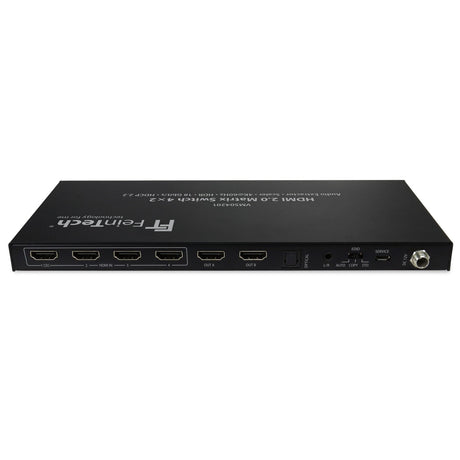
- If the sound does not come from the TV from apps or tuner, but from an external box (satellite receiver, Apple TV, Fire TV, etc.), the audio signal can be distributed before it reaches the TV. A splitter like the VAX01203 is suitable for this. Or a matrix switch like the VMS04201. The sound system must also have a real HDMI input in addition to HDMI-ARC.
- Some few TVs can output sound simultaneously via HDMI-ARC and the optical output.
- For alternating operation of 2 HDMI-ARC/eARC sound devices, special switches like our AX421 will be available in 2024. Normal splitters/switches are not suitable for this.